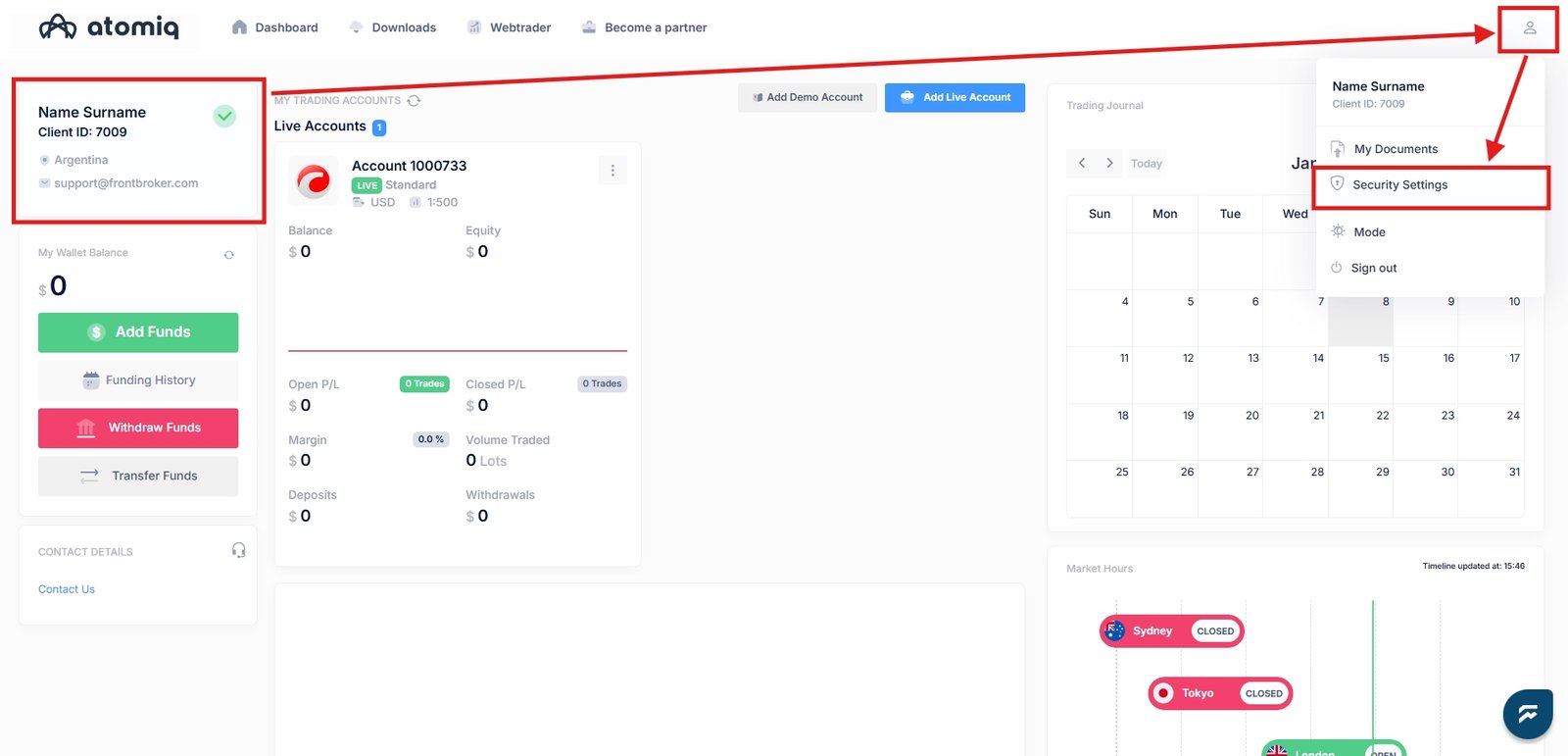
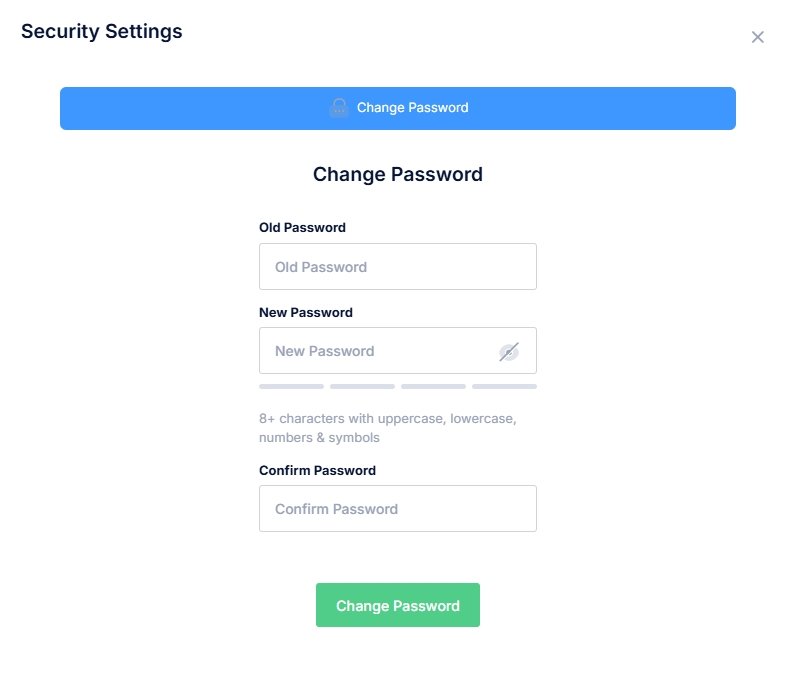
Hello Trader,Are you interested in enhancing the security of your client portal?Changing your password every few months is an effective way to protect your funds from malicious individuals. Allow me to provide you with a tutorial on how to change your password.Access into your client portal via this link: Atomiq Client PortalFind the personal setting icon.Open the “Security Setting” menu.Fill the requested information, andConfirm the new password by pressing the “Change Password” green button. Password recoveryRead moreHow to withdraw?Read more